Strata

Your network,in layers.

Strata is a self-hosted 3D map of your information systems. Zones, VLANs, assets and flows stack up in layers, with what is exposed, what is vulnerable and who to call.

Running inthree commands.

Docker on any Linux host, or a Mac for a trial. Your map stays on your network: no account, no telemetry, no external call except to the tools you connect.

  1. Get the code

    git clone https://github.com/SolidGeeks/strata.git
    cd strata
  2. Set the first admin password

    cp .env.example .env
    nano .env    # EDIT_PASS=a-long-passphrase
  3. Start it

    docker compose up -d --build

    Open http://localhost:8080, sign in, then Load demo to explore five sample sites. Releases also publish a ready-made image, ghcr.io/solidgeeks/strata: docker compose pull && docker compose up -d. On Nix: EDIT_PASS=test nix run github:SolidGeeks/strata, and a NixOS module, services.strata.

HTTPS, systemd and NixOS installs, backups and upgrades are in the documentation.

What you get,layer by layer.

A model you can walk around, and a diagram you can draw

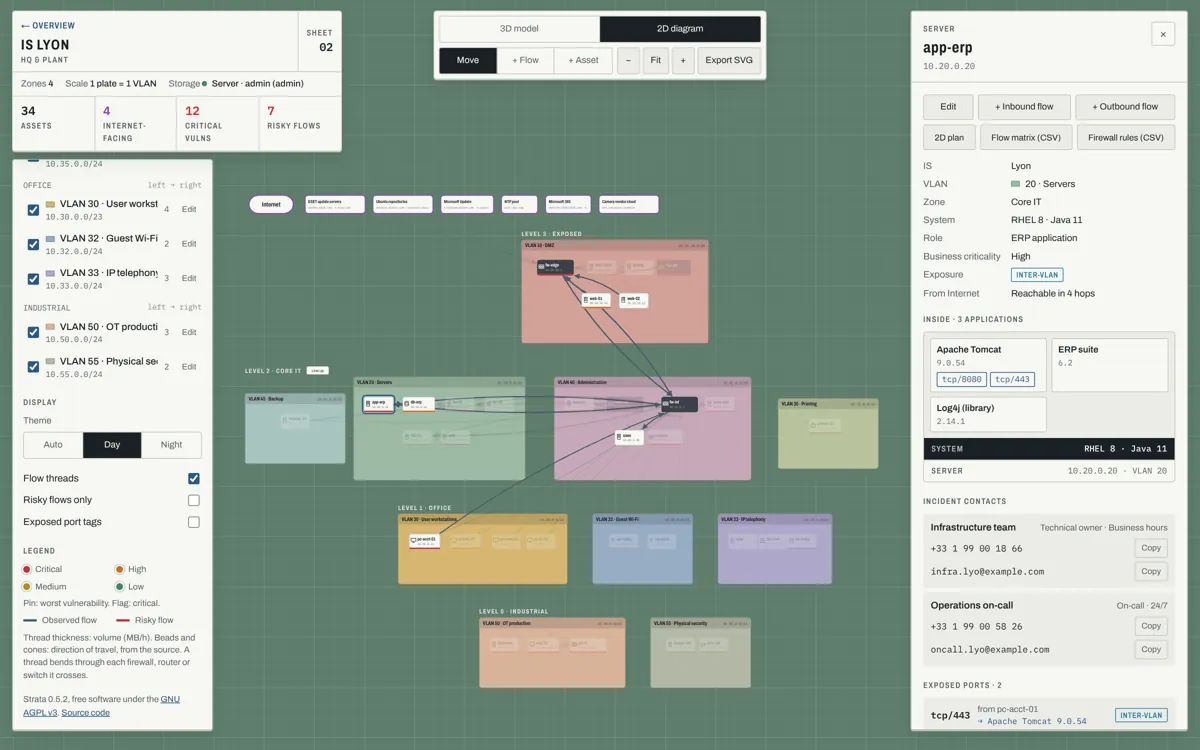
Each information system is a stack of plates: one per zone, one colour per VLAN, an object per asset. Orbit, move across with the middle button, zoom, filter by severity or exposure. Switch to the 2D diagram to add assets, draw flows and arrange plates; both views share the same positions, so what you draw flat is what you see in 3D.

  • Flows routed through the firewalls, routers and switches they cross, each in its own lane
  • One colour per flow, on demand
  • Plates movable anywhere on their level
  • Five sites in the demo, linked by WAN
The 2D diagram of the Lyon site: four levels of VLAN plates with asset cards and flows
2D diagram of the demo’s Lyon site.

What is exposed, and who to call about it

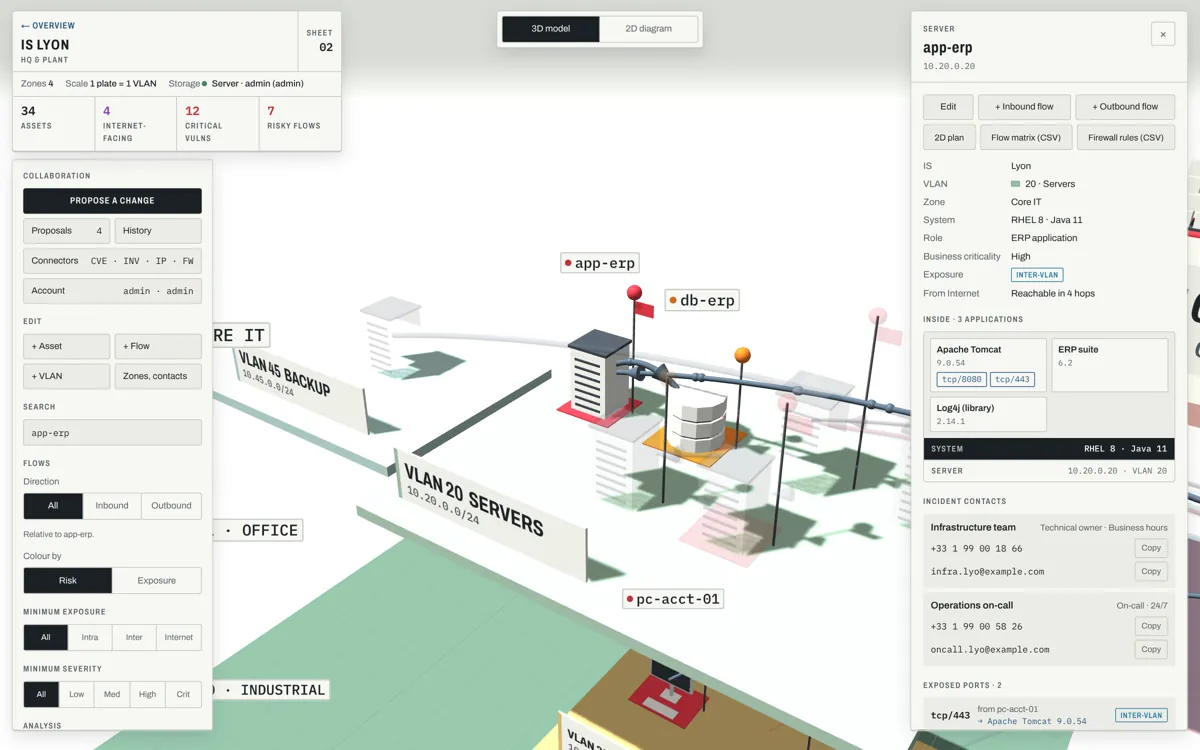
Every port is classed by where its traffic comes from: the Internet, another VLAN, or the same VLAN. “Reachable from the Internet” lights the path hop by hop. Click an asset for its system, applications, vulnerabilities, exposed ports and the incident contacts to call, with a copy button for each number.

  • Internet services as endpoints: ESET updates, Ubuntu mirrors, Microsoft 365…
  • Severity pins from your scanner
The 3D model zoomed on the ERP server, with its asset sheet: applications, vulnerabilities and incident contacts
The ERP server and its sheet: Log4j inside, two contacts to call.

From the network to the business

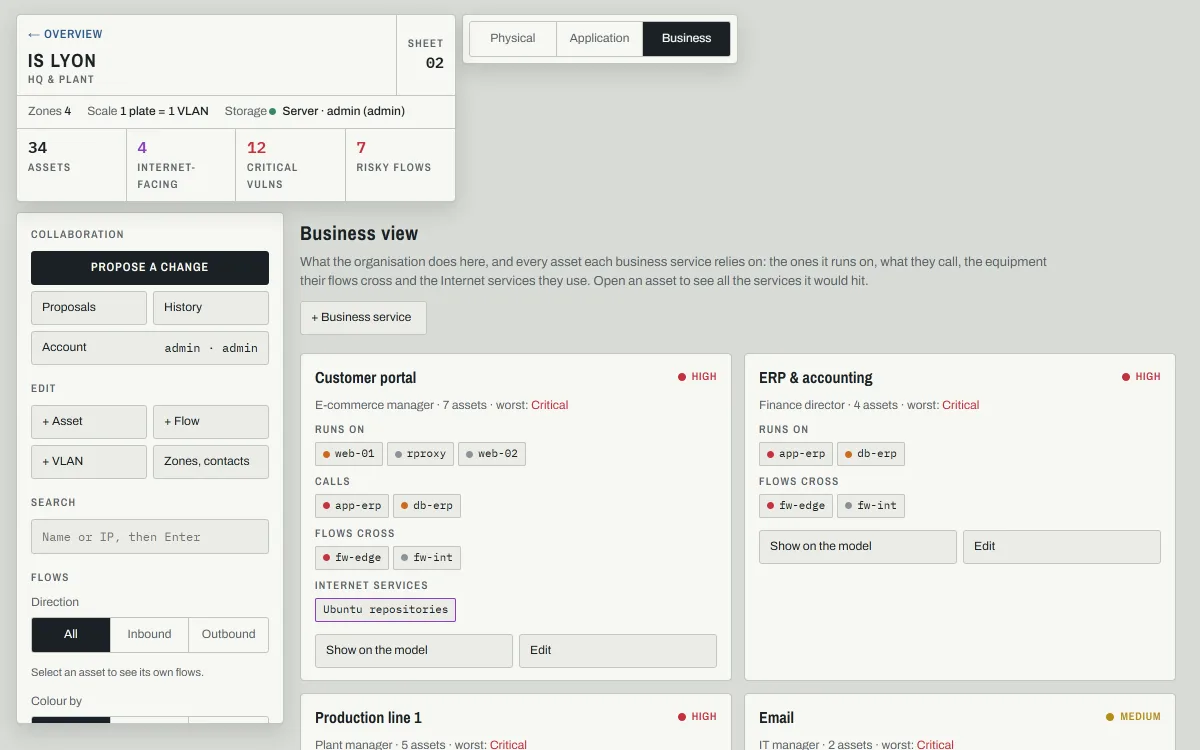
Look at the same IS three ways: physical, application by application, or business service by business service. Say which assets a service runs on; Strata follows the flows to find what else it relies on. Open any asset and it tells you which business services would stop if it went down or were taken over.

  • Dependencies worked out from the flows
  • A business service picked out on the model
The Business view of the Lyon site: cards for the customer portal and the ERP, listing the assets they run on, call and cross
Business view of the demo’s Lyon site.

What to fix first

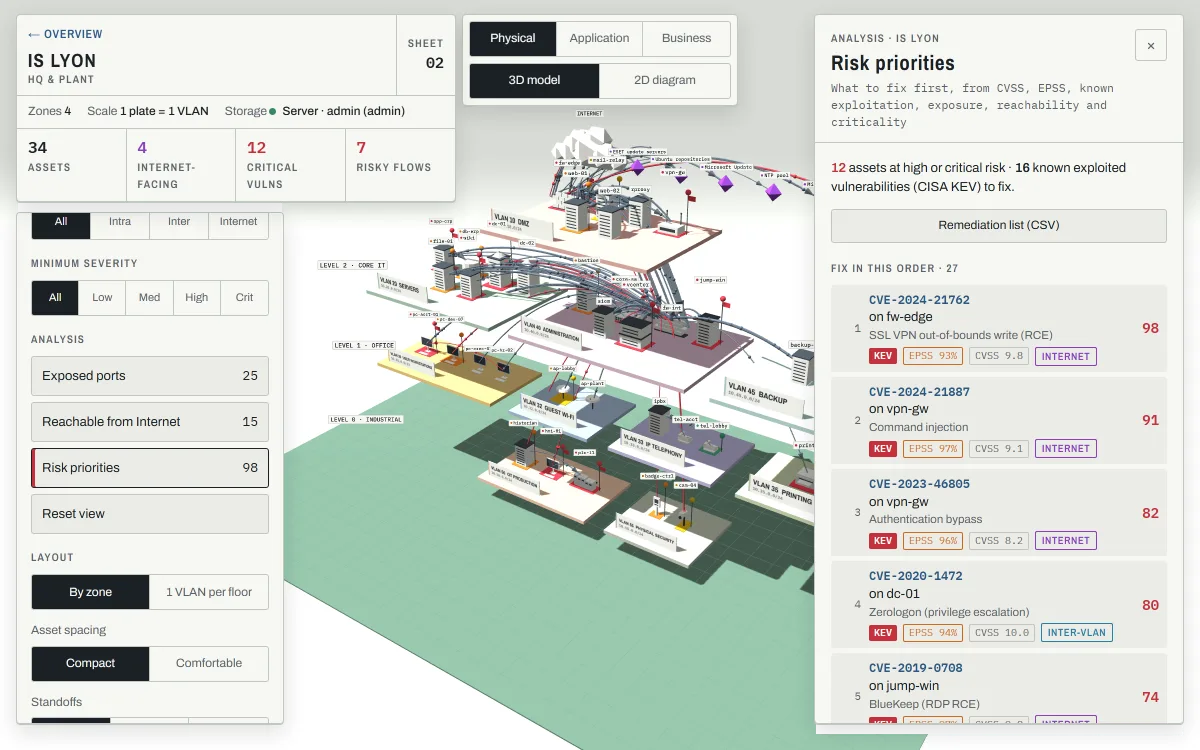
One risk score per asset, from CVSS, EPSS, the CISA list of known exploited vulnerabilities, exposure, reachability from the Internet and criticality. The result is a remediation list in the right order, exported as CSV, and a “Why?” on every asset that shows how its score was made.

  • EPSS and KEV from the Cyberwatch connector
  • Works offline: no feed to download
  • Attack paths from the Internet to the critical assets, and where to cut them
  • Blast radius: everything an attacker holding one asset could reach
Risk priorities of the Lyon site: the fixes in order, each with its KEV, EPSS, CVSS and exposure
Risk priorities: a firewall flaw known to be exploited comes first.

Documents that write themselves

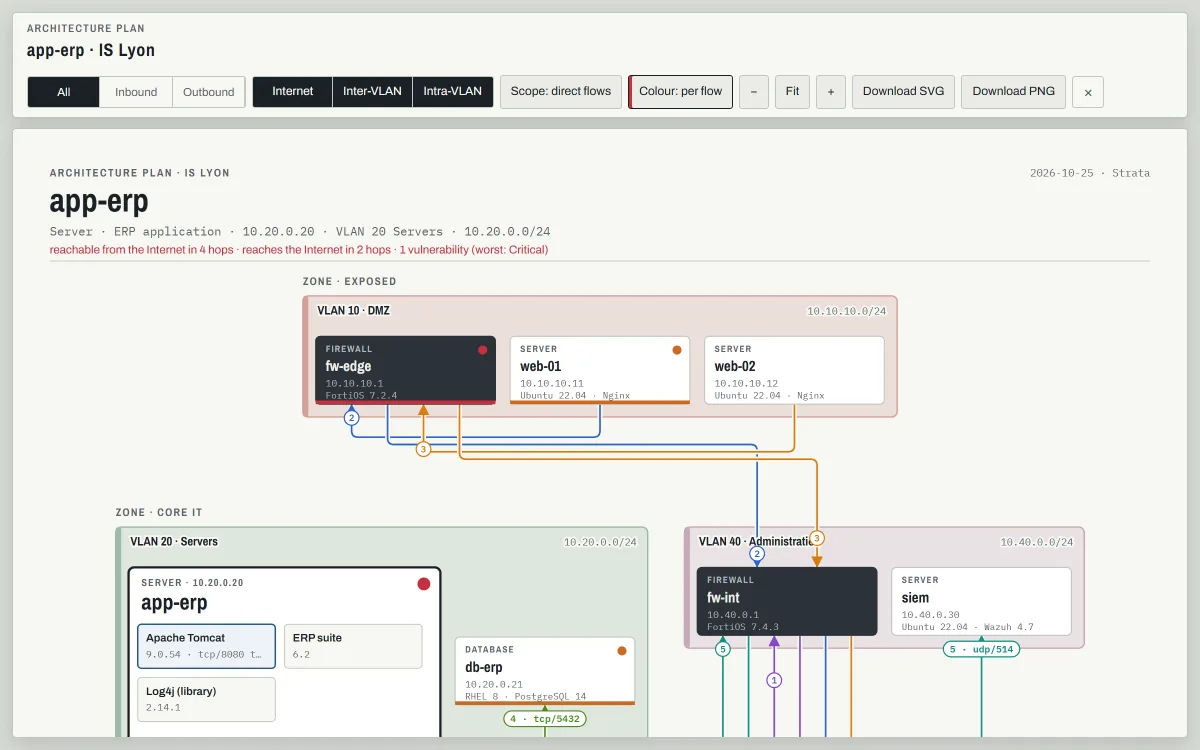
Pick an asset and get its architecture plan, ready for a PNG or SVG in your documentation. Every flow is drawn as its own numbered line, with the table of its flows and of the firewall rules the asset needs. Filter by direction or by kind of flow. Export its flow matrix and firewall rules as CSV.

  • An architecture file per IS for audits and security accreditation: diagrams, flow matrix, exposure, vulnerabilities, contacts, history, ready to print
  • Plans stay light, whatever the theme
  • Whole map or one site as JSON
Architecture plan of the ERP server: one numbered line per flow through the edge and internal firewalls, coloured per flow
Architecture plan generated for app-erp, one colour per flow.

Changes are proposed, reviewed, then published

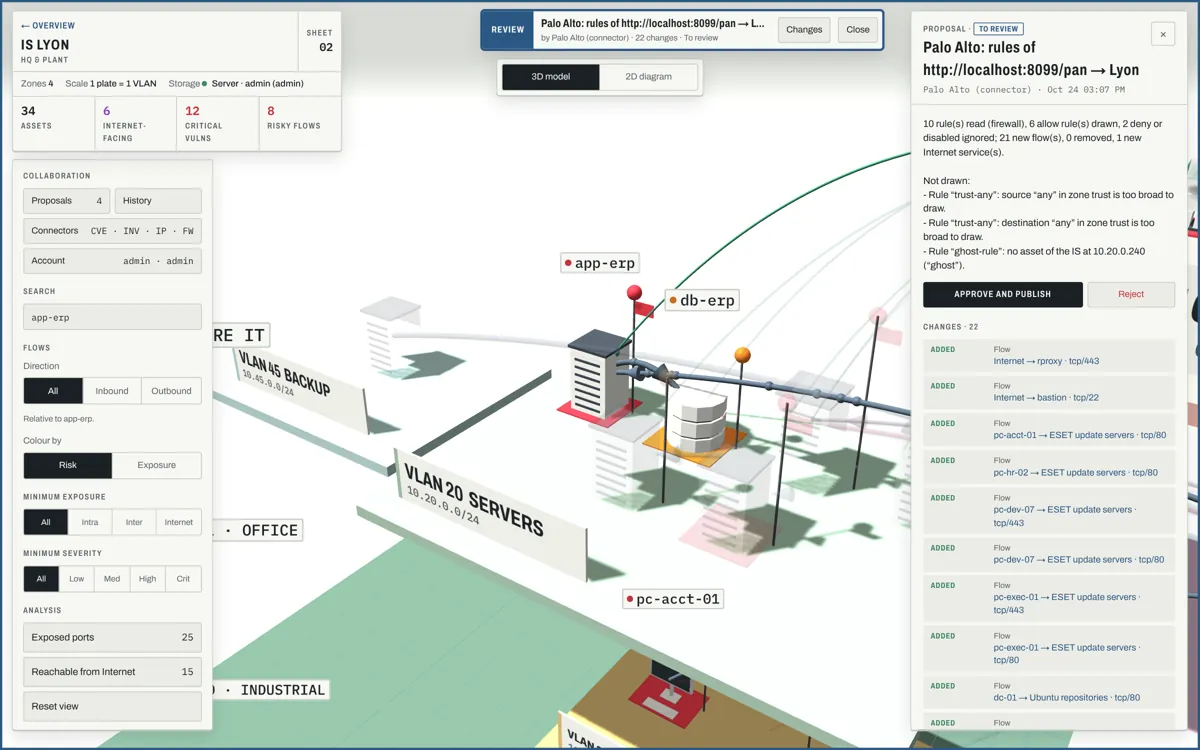
Contributors edit in a draft, or submit a JSON file. Approvers see the changes on the map itself, green for added and amber for modified, comment, then approve or reject. Nobody approves their own work. Every change is a version you can view or roll back to.

Roles
RoleCan
viewerread the map, sheets, plans and history
contributoralso prepare and submit proposals
approveralso edit directly, review proposals, restore versions, run connectors
adminalso manage accounts and connector settings
A proposal under review: the mode bar, the list of 22 changes and the rules that could not be drawn
A proposal prepared from a Palo Alto configuration, under review.

Fed by the tools you already run

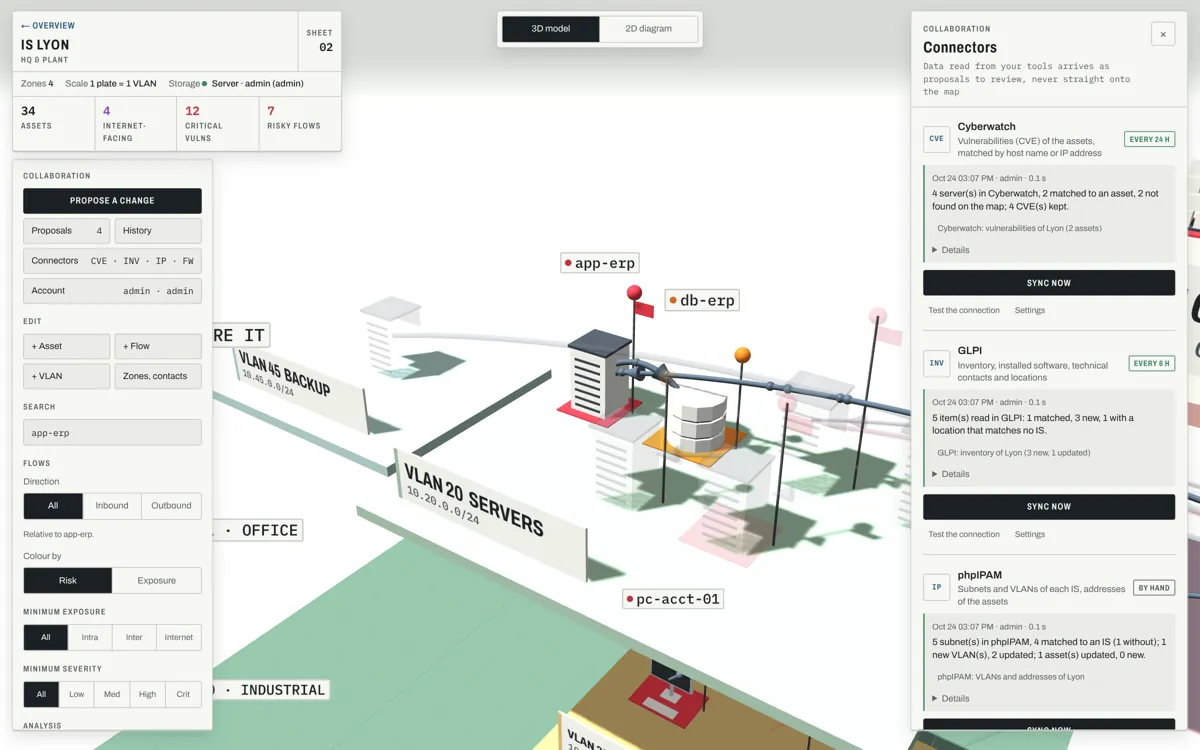
Connectors read your tools on demand or on a schedule. Nothing lands on the map directly: each sync prepares one proposal per site, refreshed in place until someone reviews it. Credentials stay on the server. Each connector is a module, run in its own restricted process: add more from the module store, or write your own.

ToolStrata readsand proposes
Cyberwatchservers and their CVEs (API v3)vulnerabilities on matching assets, by host name then IP; hand-entered findings kept
GLPIcomputers, network devices, printers, phones, software, technician and group, locationnew and updated assets, applications, incident contacts; the location picks the site
phpIPAMsections, subnets, VLANs, addressesVLANs with their ranges, asset addresses, assets moved to their subnet’s VLAN
Palo Altoa configuration file, or the XML API of a firewall or Panoramaflows from every active allow rule, address objects matched to assets, public objects as Internet services
NetBox storedevices, virtual machines, VLANs, prefixesVLANs with their ranges, new and completed assets; NetBox sites matched to IS by rules
Nmap storea scan saved with -oXhosts with their system and open ports, new hosts typed from their ports
CSV storea spreadsheet saved as CSVnew and updated assets of one site
The Connectors panel: Cyberwatch and GLPI scheduled, their last runs and the proposals they prepared
Connectors panel after a sync.

Day shift, night shift

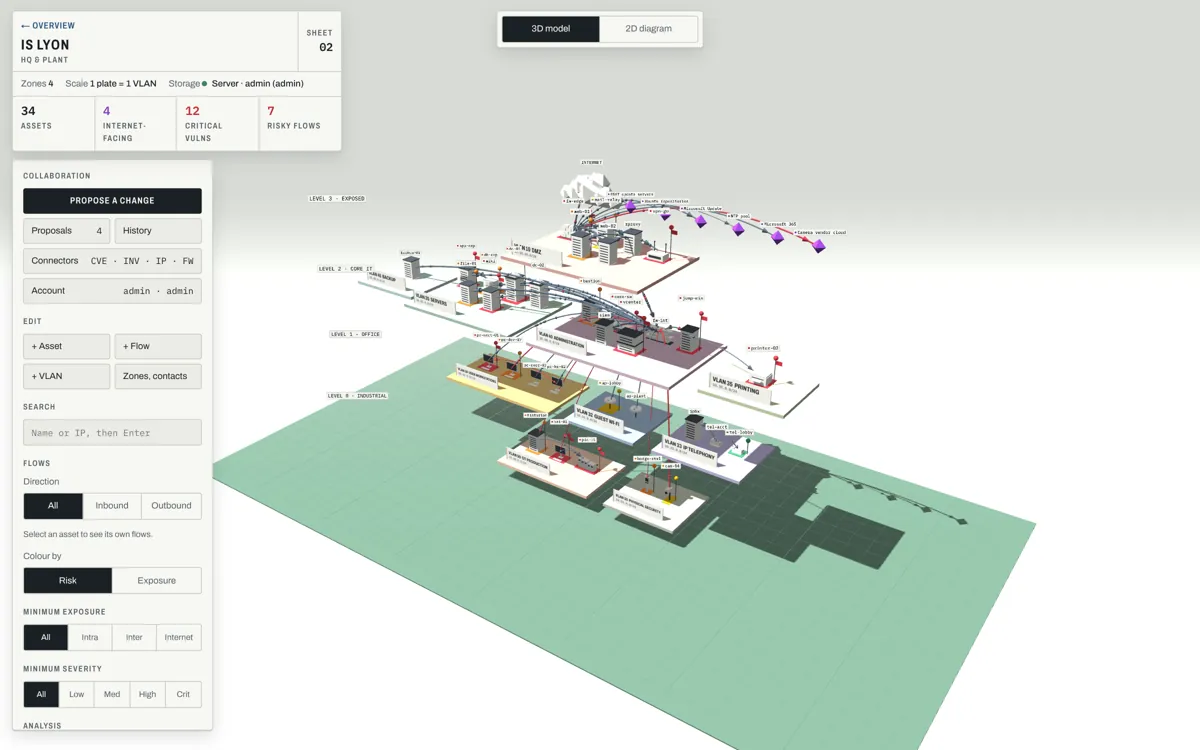
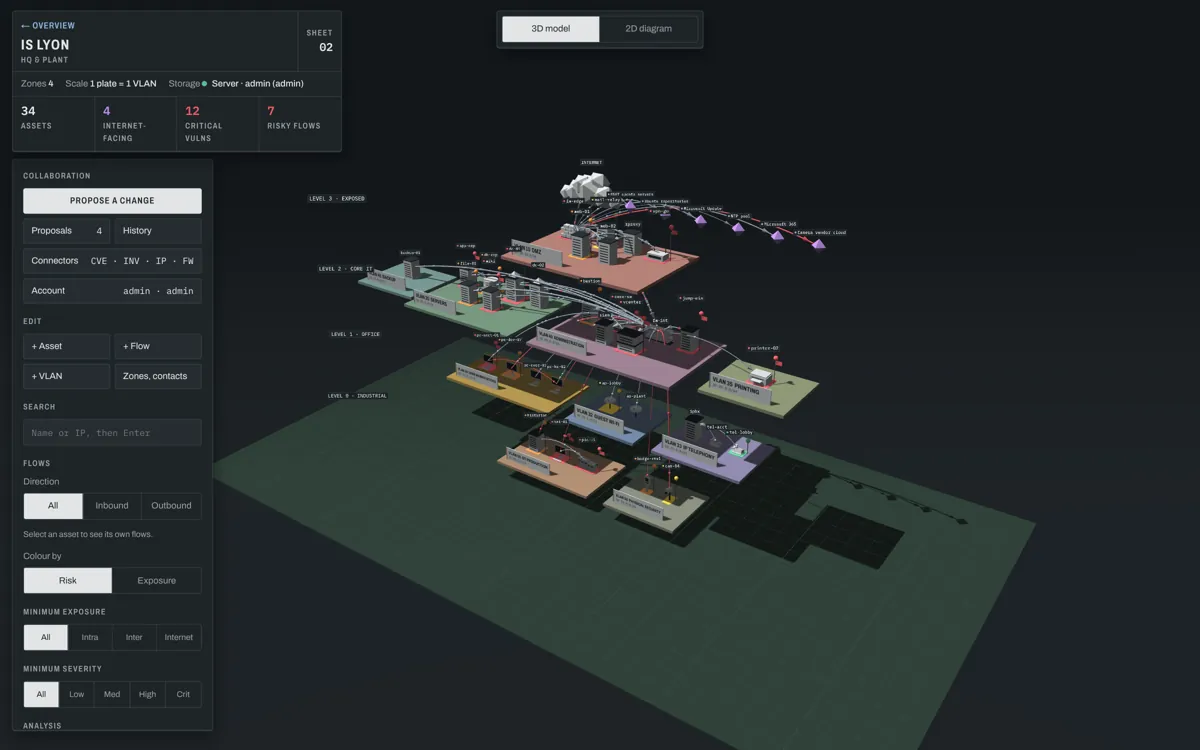
Follows your system’s theme, or force it with N. Drag the line to compare.

The Lyon site in day theme The same view in night theme

Your map stayson your network.

Small to run

One Node.js process with no dependencies, one JSON file for data, automatic backups. It runs on a 1 GB VM and works offline once built. Docker image, systemd unit or NixOS module.

Careful with secrets

Named accounts with hashed passwords, or single sign-on with your OpenID Connect provider; API tokens for scripts; strict security headers, connector credentials kept server-side with file mode 600, never sent to browsers.

Free software

Released under the GNU AGPL v3: use it, change it, share it. If you offer a modified version over a network, offer its source too.